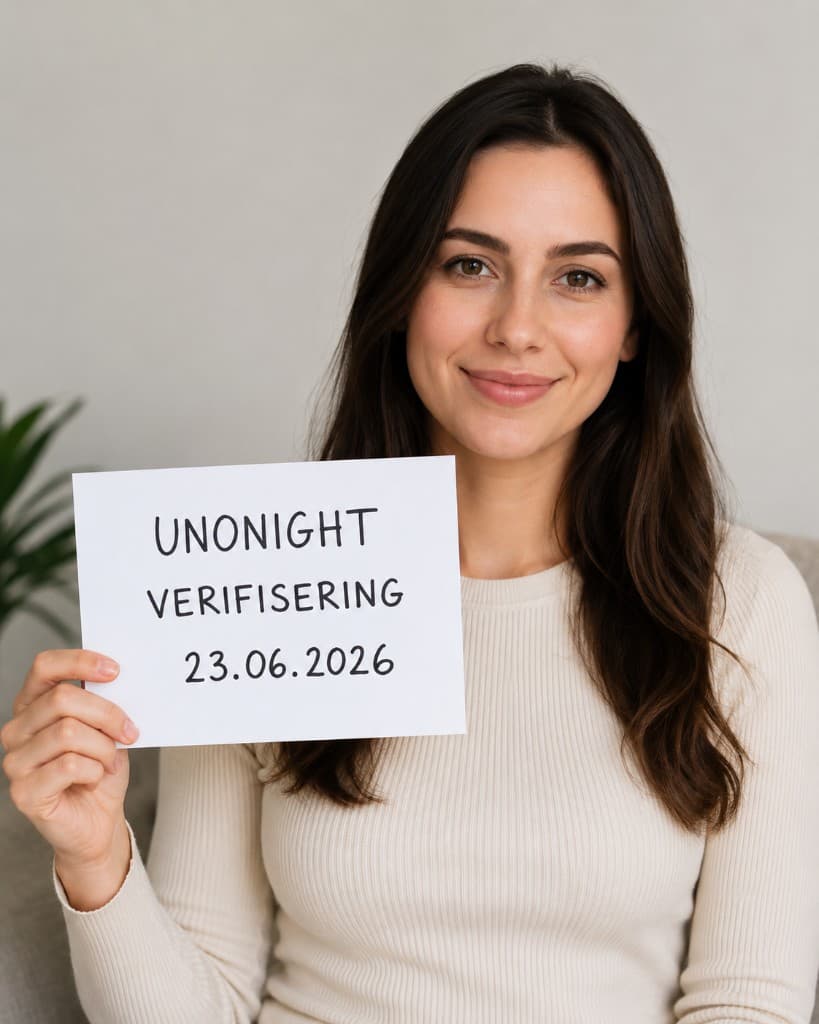
The process is simple and takes only a few minutes.
Step 1 – Register account
Create an account with:
- Email address
- Password
- Date of birth
- Profile information
When registration is complete, you will receive a confirmation link by email.
Step 2 – Generate verification code
After logging in, you get access to the verification process.
The system generates a unique verification code.
Example:
UNO-48392
This code is unique to you and can only be used once.
Step 3 – Take a photo
Write the code on a piece of paper.
Then take a photo where:
- Your face is clearly visible
- The verification code is readable
- The entire paper is shown
- The photo is well lit
Step 4 – Upload the photo
Upload the photo to the verification system.
The photo is sent for review.
Step 5 – Review
Unonight uses multiple security layers:
### Aipify Verify
The system analyses:
- Face
- Image quality
- Code
- Clarity
- Possible manipulation
### Manual review
When needed, administrators review the photo manually.
This helps detect:
- Fake profiles
- Manipulated images
- Fraud attempts
- Misuse of the platform